

Vouchers
The Vouchers add-on gives every confirmed booking a QR code voucher. Guests get it with their confirmation email, and your staff scan it in the Control Panel when the guest arrives. It suits anything a guest turns up for: spa treatments, restaurant tables, tours, classes or tickets.
How it works
- When a booking in one of your chosen collections is confirmed, its confirmation email comes with the voucher as a PDF. The email can show the QR code too.
- At the door, staff scan the QR code or look up the booking reference, then mark the voucher as used. The guest gets a “Thank you for attending!” email.
- If the booking is cancelled or refunded, its voucher stops working. An unused voucher expires a day after the booking ends.
Installation
Install the add-on with Composer, then run its install command:
composer require reachweb/statamic-resrv-vouchers
php artisan resrv-vouchers:install
The install command sets up the add-on’s config file and database tables. It also asks whether to publish the email templates and language files: say yes only if you want to edit them. You can run it again later to publish them.
Then list the collections that should get vouchers in config/resrv-vouchers.php, by their handles:
'enabled_collections' => ['spa_treatments', 'restaurant'],The list starts empty, so no booking gets a voucher until you add a collection.
The “Thank you for attending!” email goes out through your queue. If your queue runs in the background, keep a worker running (php artisan queue:work).
Permissions
Staff need the Use Resrv Vouchers permission, in the Resrv Vouchers Permissions group under Users → Roles. Resrv’s own permission doesn’t include it, so door staff can scan vouchers without seeing your reservations. Super users have it already.
Scanning vouchers
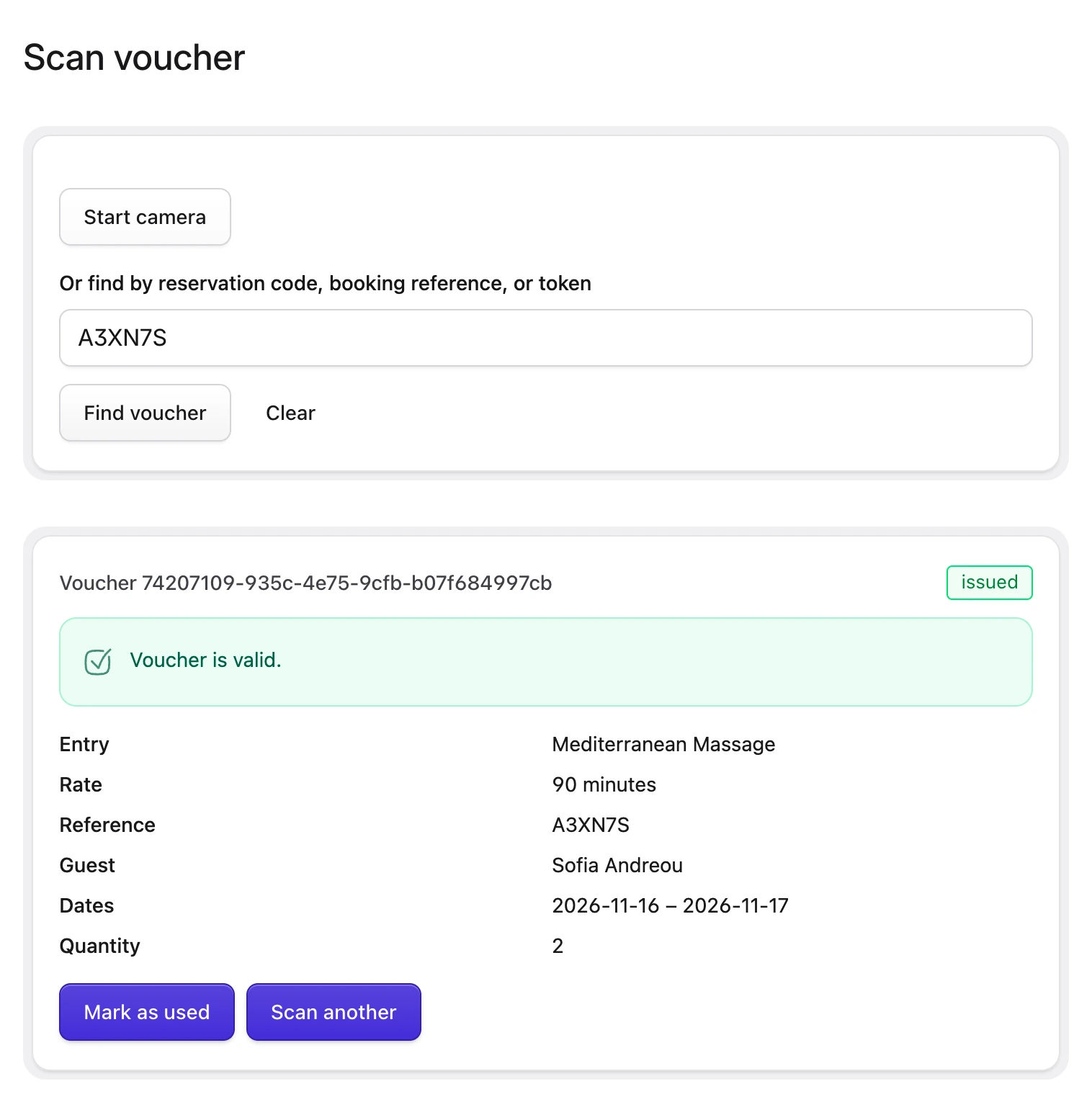
Go to Resrv → Vouchers → Scan, then either:
- press Start camera and point it at the guest’s QR code, or
- type the booking reference or reservation code from the guest’s email and press Find voucher.
The result shows the booking and whether the voucher is valid. Press Mark as used when the guest arrives, then Scan another for the next guest. Marking a voucher as used can’t be undone.
The camera only works when the Control Panel is on HTTPS. Without it, type the booking reference instead.
Voucher statuses
| Status | Meaning |
|---|---|
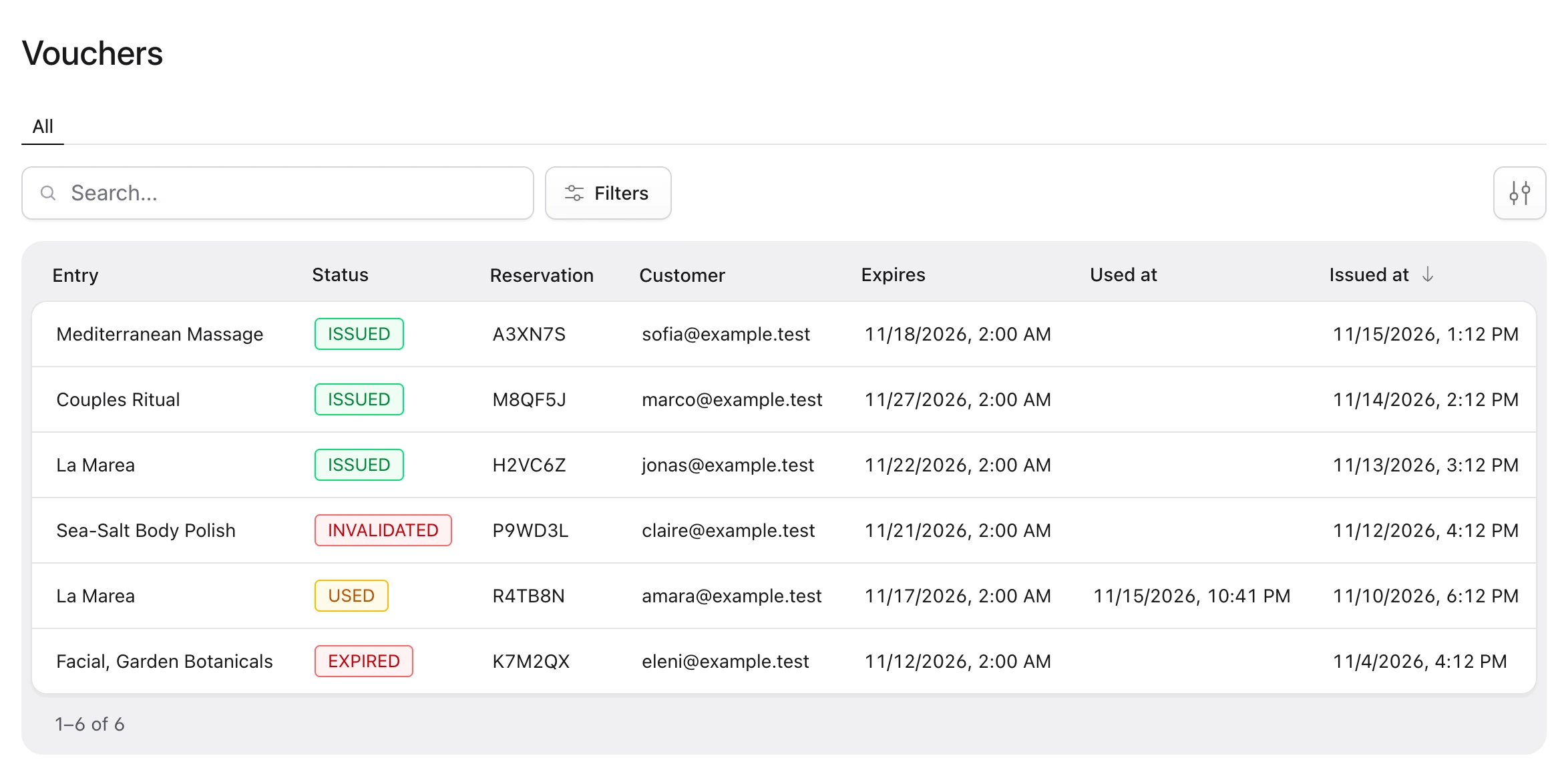
| Issued | Valid and not used yet. Only issued vouchers can be marked as used. |
| Used | Staff marked it as used. It stays used even if the booking is refunded later. |
| Invalidated | The booking was cancelled or refunded before the voucher was used. |
| Expired | It wasn’t used in time. |
Vouchers expire a day after the booking’s end date. To give guests longer, raise grace_days in config/resrv-vouchers.php. The change applies to vouchers issued after it.
The voucher list
Resrv → Vouchers → List shows every voucher, newest first. Filter it by status or entry, or search by booking reference.
Showing the QR code in the email
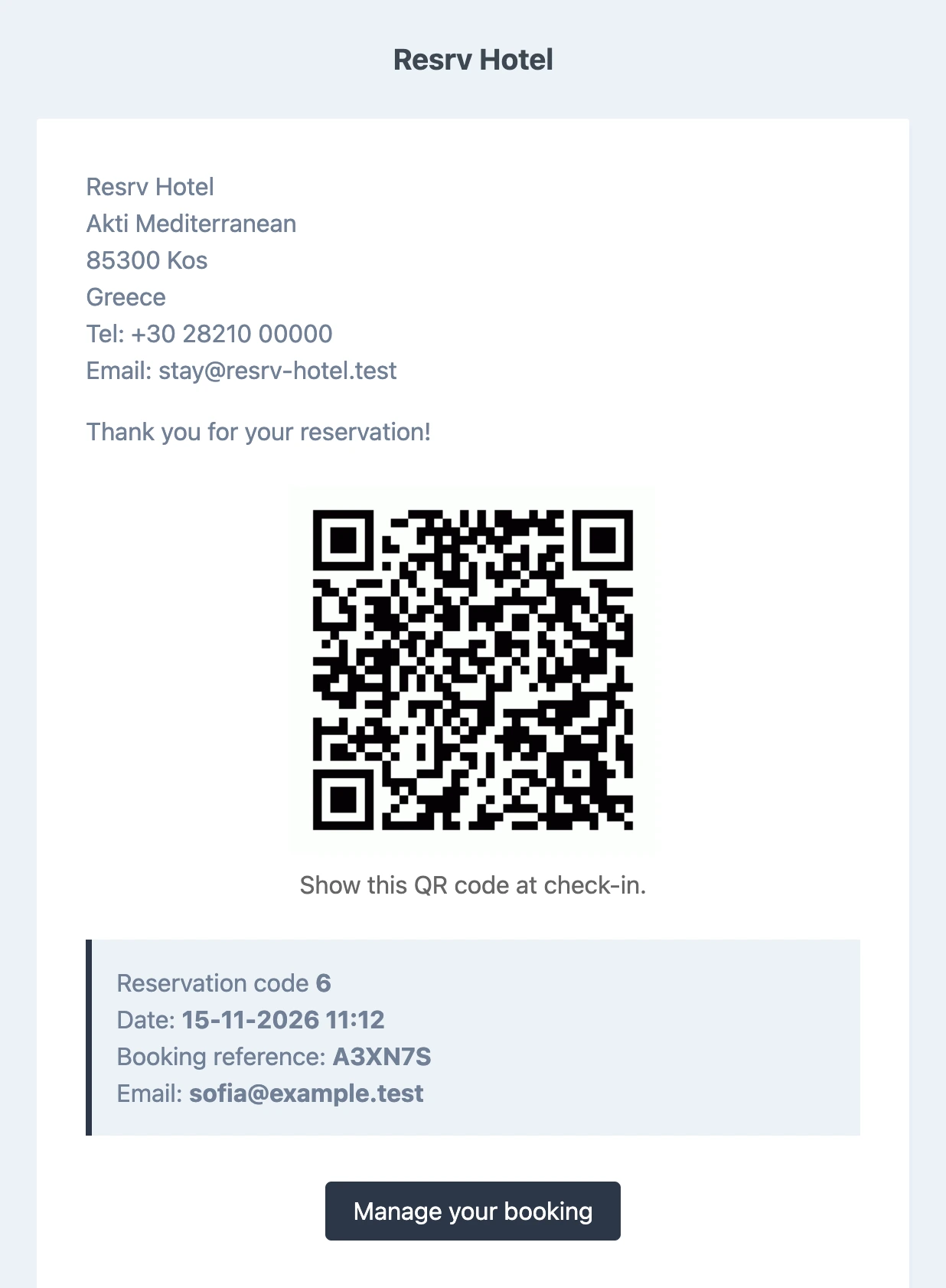
The voucher PDF is always attached to the confirmation email. To show the QR code in the email itself, publish Resrv’s email templates and add this line to resources/views/vendor/statamic-resrv/email/reservations/confirmed.blade.php, where you want the code to appear:
@include('statamic-resrv-vouchers::email.vouchers.partials.qr')Emails for bookings without a voucher show nothing there. To change the caption under the code, publish the add-on’s language files.
The “Thank you for attending!” email
Change its subject and sender in config/resrv-vouchers.php:
'email' => [
    'attended' => [
        'subject' => 'Thanks for visiting the spa',
        'from' => [
            'address' => '[email protected]',
            'name' => 'The Spa',
        ],
    ],
],
To change its text, publish the add-on’s email templates and edit resources/views/vendor/statamic-resrv-vouchers/email/vouchers/attended.blade.php.
Dashboard widget
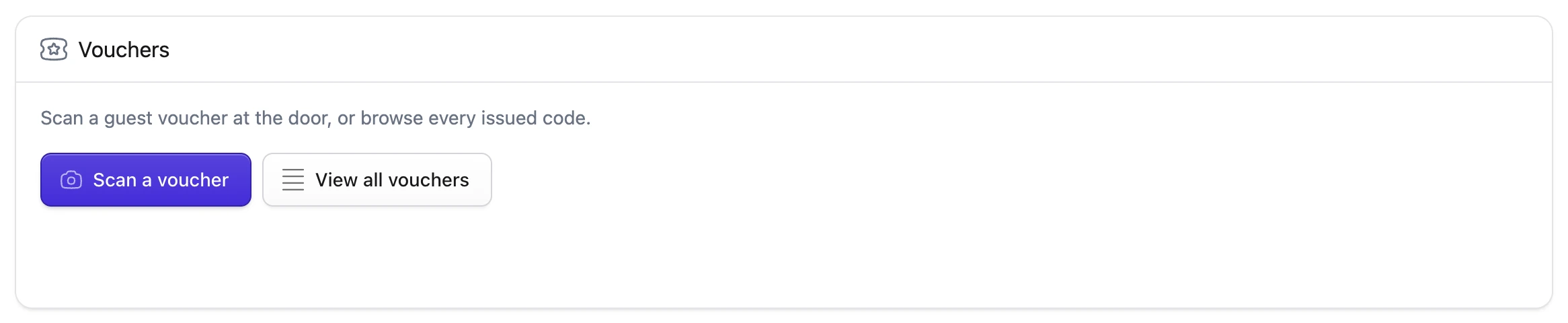
To put buttons for the Scan page and the voucher list on the Control Panel dashboard, add the widget to config/statamic/cp.php:
'widgets' => [
    [
        'type' => 'vouchers',
        'width' => 'md',
    ],
],
Only staff with the voucher permission see it.
Troubleshooting
- A booking has no voucher. Check that its collection is in
enabled_collections. - The “Thank you for attending!” email doesn’t arrive. Check that a queue worker is running.
- Mark as used doesn’t appear. The voucher was already used, or it’s invalidated or expired. The result says which.
For developers, the add-on’s README covers its events, its separate signing key option and more.